

You’ve just bought the perfect font for your client’s rebrand. The logo looks stunning. Then you try to embed it in the website header, and suddenly you’re wondering if you’re breaking the law. Or worse—you’ve already used it, and now you’re getting legal notices from the font foundry.
This confusion isn’t your fault. Font licensing is intentionally opaque, and foundries don’t make it easy to understand what you’re actually buying. When you purchase a font, you’re not buying the typeface itself—you’re buying permission to use it in specific ways. And that “desktop license” you paid for? It almost never covers web use.
Key Takeaways
- Desktop licenses only permit font use in static design files and print materials, not websites
- Webfont licenses grant separate permission for browser-based rendering with file format restrictions
- Using a desktop font on your website without a webfont license violates copyright law
- Commercial projects typically require both license types, doubling your font investment
- Free alternatives and self-hosted solutions exist but come with their own legal considerations
Why Font Licenses Split Between Desktop and Web
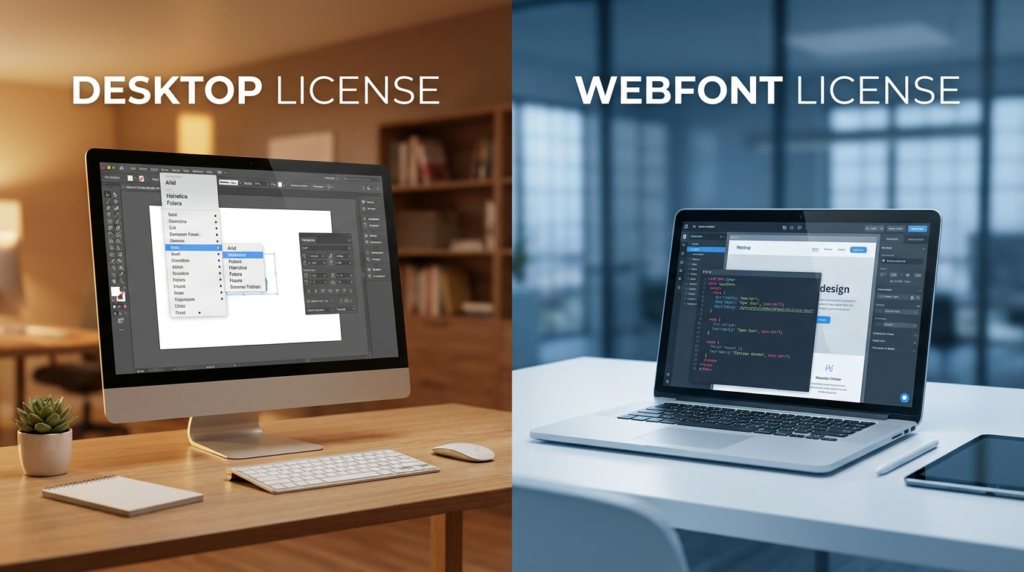
Desktop fonts and webfonts serve fundamentally different purposes, even when they display the same typeface.
Desktop licenses cover font files installed on your computer. These are the OTF or TTF files sitting in your system’s font folder. You use them in Photoshop, Illustrator, InDesign, or any application that accesses system fonts. They’re designed for creating static outputs: logos, business cards, PDFs, print advertisements, or mockup images.
Webfonts operate differently. When someone visits your website, their browser needs to download and render the font file. This means the font file gets distributed to potentially millions of users. From a foundry’s perspective, that’s millions of installations—not the single desktop installation you paid for.
The technical formats differ too. Desktop fonts use OTF (OpenType Font) or TTF (TrueType Font) formats optimized for local rendering. Webfonts use WOFF (Web Open Font Format), WOFF2, EOT, or SVG formats specifically engineered for web delivery. These formats compress better and load faster in browsers.
But here’s the real reason for separate licenses: money and control. Foundries recognize that web distribution has different commercial value than desktop use. A desktop license might cost $30-$50 for unlimited local use. That same font as a webfont could cost $10-$100 annually based on your website’s monthly pageviews. It’s a recurring revenue model.
What Your Desktop License Actually Covers
Read any desktop font license and you’ll find similar restrictions. Desktop licenses typically permit:
Print design work. Brochures, posters, magazines, packaging, business cards—anything that ends up on paper.
Static digital images. Social media graphics, email headers, PDF documents, digital advertisements saved as images.
Logo creation. You can design a logo using the font and save it as a vector or raster file.
Client deliverables. You can send print-ready files or PDFs to clients, but you can’t give them the font file itself unless your license includes redistribution rights.
Video and broadcast. Some licenses permit embedding fonts in video files, but many require separate broadcast licenses.
What desktop licenses specifically prohibit:
Website embedding. You cannot upload the font file to your web server and call it via @font-face CSS.
App embedding. Mobile apps need their own licenses, separate from both desktop and web.
Font redistribution. Sending the actual font file to clients or contractors without proper licensing.
Server-based rendering. Using fonts on servers that generate dynamic images or PDFs often requires an enterprise license.
The confusion intensifies because nothing technically prevents you from uploading a desktop font file to your website. The code works. Browsers render it. But legally, you’re violating the license agreement the moment that font file becomes publicly accessible.
How Webfont Licenses Work
Webfont licenses come in several flavors, each with different restrictions and pricing models.
Pageview-based licenses remain the most common. You pay based on how many times pages using the font load each month. A site with 10,000 monthly pageviews might pay $10-$20 annually. A site with 1 million pageviews could pay $100-$200. Exceed your pageview limit, and you’re technically in violation until you upgrade.
Domain-based licenses allow unlimited pageviews but restrict usage to specific domains. If you license a webfont for example.com, you can’t legally use it on example.org without purchasing another license. Subdomains sometimes count as separate domains.
Self-hosting vs. CDN delivery creates another licensing split. Some foundries only permit their fonts through third-party services like Adobe Fonts or Google Fonts. Others sell you font files for self-hosting but charge more. Self-hosting gives you control and privacy but requires you to configure proper CORS headers and MIME types.
Time-limited licenses work on subscription models. Pay annually or monthly, and your license remains valid. Stop paying, and you must remove the font from your website.
Perpetual licenses cost more upfront but never expire. You pay once based on your traffic tier and can use the font indefinitely within that tier.
| License Type | Cost Structure | Best For | Drawbacks |
|---|---|---|---|
| Pageview-based | Annual fee by traffic tier | Small to medium sites with predictable traffic | Must upgrade as you grow |
| Domain-based | Flat rate per domain | Multi-site portfolios | Costs multiply across projects |
| CDN-only | Often free or included in subscriptions | Quick deployment | No control over hosting |
| Self-hosted | Higher upfront cost | Privacy-conscious sites | Requires technical setup |
Most webfont licenses also restrict usage to specific CSS @font-face implementations. You can’t extract the font file and use it elsewhere. You can’t modify the file. And you definitely can’t share it with other developers unless they’re working on the same licensed project.
Common Licensing Scenarios That Catch Designers
The logo dilemma. You design a client’s logo with a licensed desktop font. The logo looks perfect. Then you build their website and want to use the same font for navigation. You need a separate webfont license. Some designers convert the text to outlines in the logo and use a system font or different webfont for body text. Others license both versions upfront.
The PDF problem. Creating a PDF with embedded fonts falls under desktop licensing. But if you’re generating PDFs dynamically on a web server—order confirmations, invoices, reports—many foundries require an enterprise server license. This catches e-commerce developers by surprise.
The app ambiguity. Mobile apps need app licenses, separate from desktop and web. If you’re building a progressive web app (PWA), licensing gets murkier. Some foundries treat PWAs as websites; others classify them as apps.
The client handoff. You finish a project and hand off files to the client. If those files include font files, you’ve potentially violated your license. Most desktop licenses are “single-user” or “workstation-based.” Your client needs their own license to edit those files.
The contractor confusion. You hire a freelance developer to implement your design. They need access to the font files. Technically, they need their own license unless your license specifically permits contractor use.
How Foundries Enforce Licenses
Font piracy is widespread, but enforcement varies dramatically by foundry.
Large commercial foundries like Monotype, Adobe, and Hoefler&Co. actively monitor high-traffic websites. They use automated tools to detect unauthorized font usage by checking CSS files and font file URLs. When they find violations, they send cease-and-desist letters demanding payment or license purchases.
Smaller foundries often lack resources for active monitoring but will pursue violations if reported. If a competitor notices you’re using an expensive font without proper licensing, they might report it.
Legal consequences can be significant. Copyright law in the United States treats font files as software. Willful infringement can result in statutory damages up to $150,000 per work. Most cases settle out of court, but settlement amounts often exceed what proper licensing would have cost initially.
The easiest way foundries catch violations? Developers who self-host fonts leave obvious trails. If your CSS file references “Helvetica-Neue-Bold.woff” hosted on your domain, and Helvetica Neue requires licensing, you’re exposed. CDN-based font services like Google Fonts or Adobe Fonts handle licensing automatically, which is why they’re so popular despite offering less control.
Legal Alternatives and Workarounds
Google Fonts offers hundreds of typefaces under open-source licenses. They’re completely free for commercial and personal use, including web embedding. Quality varies, but many Google Fonts rival commercial options. The downside? Everyone uses them, so your designs might lack uniqueness.
Adobe Fonts (formerly Typekit) comes with Creative Cloud subscriptions. If you already pay for Adobe products, you have access to thousands of fonts for both desktop and web use. The licensing covers personal and commercial projects, including client work, as long as your subscription remains active.
Open-source font repositories like Font Squirrel and The League of Moveable Type curate free fonts with explicit licensing terms. Always read the license—some permit only personal use, while others allow full commercial deployment.
Variable fonts offer another approach. These single font files contain multiple weights and styles, reducing the number of licenses you need. Browser support has matured, making variable fonts practical for production use.
Converting desktop fonts to webfonts might seem tempting. Technical tools exist, but this violates most license agreements. Font files contain licensing metadata, and conversion doesn’t grant you web usage rights. Foundries can still detect unauthorized conversions.
| Solution | Cost | License Coverage | Uniqueness | Technical Difficulty |
|---|---|---|---|---|
| Google Fonts | Free | Desktop & web | Low | Easy |
| Adobe Fonts | $54.99/month (with Creative Cloud) | Desktop, web & apps | High | Easy |
| Paid commercial licenses | $30-$500+ per family | Varies by purchase | High | Moderate |
| Open-source fonts | Free | Desktop & web | Medium | Easy |
Making Smart Font Licensing Decisions
Start by clarifying your project needs before purchasing any fonts. If you’re designing a brand identity that includes both print materials and a website, budget for both desktop and webfont licenses from the beginning. This prevents mid-project surprises and keeps you legally compliant.
For client projects, include font licensing costs in your estimates. Don’t absorb these costs yourself unless you plan to reuse the fonts across multiple projects. If possible, have clients purchase licenses directly in their names, especially for webfonts tied to their domains.
Read license agreements before purchasing. Yes, they’re tedious, but five minutes of reading saves potential legal headaches. Look for these key terms: permitted usage types, number of users or workstations, pageview limits for webfonts, whether the license permits client work, and rules about file sharing with contractors.
Consider font subscription services if you work on diverse projects. Services like MyFonts or Fontspring offer subscription models that include both desktop and web licensing for extensive libraries. Monthly costs might seem high, but they’re often cheaper than licensing individual families for every project.
For long-term client projects, perpetual licenses make more financial sense than annual renewals. Calculate the break-even point. If a perpetual webfont license costs $200 and annual renewal costs $50, you’ll save money after four years.
Document all your licenses. Create a spreadsheet tracking which fonts you’ve licensed, what those licenses cover, when they expire, and which projects use them. This prevents accidental violations and helps during client handoffs.
The Future of Font Licensing
Subscription models continue gaining traction, shifting fonts from products to services. Adobe’s shift from selling desktop fonts to bundling them with Creative Cloud subscriptions exemplifies this trend. Expect more foundries to adopt similar approaches.
Variable fonts might simplify licensing by reducing the number of separate files needed. Instead of licensing Regular, Medium, Bold, and Black weights separately, you license one variable font file containing all weights. Some foundries already price variable fonts lower than buying all weights individually.
Cloud-based font services obscure licensing complexity by handling it behind the scenes. Designers simply activate fonts through a web interface without worrying about file management or legal restrictions. This convenience comes at the cost of control and often requires ongoing subscription payments.
Self-hosting may become less common as privacy-focused CDN options emerge. Services that don’t track users while still providing fast, compliant font delivery offer middle ground between Google Fonts’ convenience and self-hosting’s privacy.
Frequently Asked Questions
Can I use a desktop font in my website if I convert it to a webfont format?
No. Converting a font file from OTF/TTF to WOFF doesn’t change your licensing restrictions. Desktop licenses specifically prohibit web use, regardless of file format. You need a separate webfont license even if you perform the conversion yourself.
If I buy a font for unlimited desktop use, why do webfonts have pageview limits?
Desktop fonts install once on your computer. Webfonts get downloaded by every visitor to your website, creating exponentially more “installations” from the foundry’s perspective. Pageview limits attempt to price fonts based on distribution scale and commercial value.
What happens if my website traffic exceeds my webfont license limit?
Technically, you’re violating your license agreement. Most foundries won’t immediately notice small overages, but you should upgrade your license tier promptly. Some services automatically charge you for the next tier; others require manual upgrades. Significant violations risk legal action.
Are free fonts like Google Fonts truly free for commercial websites?
Yes. Google Fonts uses open-source licenses (primarily SIL Open Font License) that explicitly permit commercial use, modification, and redistribution. You can use them on client websites, in apps, or in print materials without additional fees or attribution requirements.
Conclusion
Font licensing separates desktop and web usage because foundries recognize different commercial values in local installation versus public distribution. Your desktop license covers design work, print materials, and static images. Your webfont license covers browser-based rendering with restrictions on pageviews, domains, or time periods.
Before starting your next project, identify whether you need desktop licenses, webfont licenses, or both. Budget accordingly and read license terms carefully. For ongoing work, consider subscription services that bundle multiple license types. And when in doubt, use properly licensed Google Fonts or Adobe Fonts—they’re free or included with software you likely already own.
Check your current projects right now. Are you using fonts with proper licenses? If you’re unsure, audit your website’s CSS files and compare them against your license agreements. It’s better to fix violations proactively than face legal notices later.
What’s your biggest font licensing headache? Drop your questions or experiences in the comments below.