

You hit “Go Live,” your playlist is labeled “stream-safe,” and everything runs smooth. Then you check your VOD the next day—half your stream is muted. No copyright strike, but the audio’s gone, and you’ve got no idea why you got flagged when you specifically used a “DMCA-free” playlist.
Here’s what’s happening: most streamers think “DMCA-free” means universally safe. It doesn’t. The music might be cleared for live broadcasts but not for the archived video that sits on your channel afterward. Or the opposite—it’s fine in a VOD but triggers a claim during the live stream. Sometimes the license expired. Sometimes the playlist curator made a mistake. Either way, you’re left scrambling to figure out what went wrong.
This isn’t about picking better playlists. It’s about understanding how streaming music licenses actually work, where the gaps are, and how to plug them before your next stream gets silenced.
Key Takeaways
• Verify that music licenses explicitly cover both live streaming and VOD storage on your platform • Use royalty-free music from sources that provide written license terms, not just “safe” labels • Test unfamiliar tracks in short streams before committing them to long broadcasts • Keep a backup playlist of confirmed safe tracks separate from experimental music • Check if your streaming platform offers built-in music libraries with automatic clearance
Why “DMCA-Free” Doesn’t Mean What You Think
The term “DMCA-free” gets thrown around like it’s a guarantee. It’s not. The Digital Millennium Copyright Act covers how platforms handle copyright claims, but it doesn’t define what music you’re allowed to use. A playlist labeled “DMCA-free” might mean the curator thinks it’s safe, or it might mean absolutely nothing.
Most confusion comes from mixing up different types of licenses. Some music is cleared for live broadcasts but not for on-demand content. Twitch, YouTube, and Facebook all store your streams as VODs, and that requires a separate synchronization license. If the track only has a public performance license, your live stream might be fine, but the archived version gets flagged.
Another issue: expired licenses. A song might’ve been safe six months ago when the playlist was made, but if the rights holder pulled their agreement with the distributor, that track is now off-limits. Playlist curators don’t always update their lists, so you’re streaming with outdated information.
Then there’s the platform detection problem. Twitch uses Audible Magic to scan audio. YouTube uses Content ID. Facebook has Rights Manager. Each system has different thresholds and different databases. A track might slip through one platform’s detection but get caught on another. That’s why cross-platform streamers get burned—they assume one cleared track works everywhere.
How Streaming Licenses Actually Work
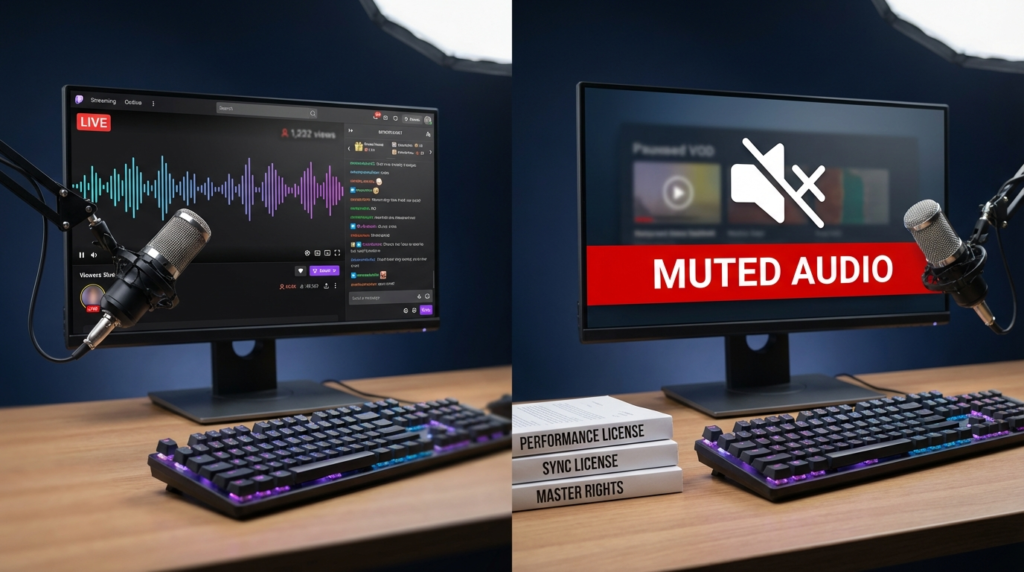
Music rights split into multiple categories, and you need clearance for each one depending on how you use the track.
Performance rights cover playing music publicly, which includes live streams. Organizations like ASCAP, BMI, and SESAC manage these. Platforms like Twitch and YouTube pay blanket licenses to these groups, which theoretically covers you during the live broadcast.
Synchronization rights cover pairing music with video content. This is where VODs trip people up. When your stream gets archived, it’s no longer just a live performance—it’s a stored video file with music attached. That requires sync rights, and most streamers don’t have them unless the track is explicitly royalty-free or the platform has negotiated those rights on your behalf.
Mechanical rights apply when music gets reproduced and distributed, which technically happens when VODs get stored and served to viewers. Most platforms handle this in the background, but it’s another layer of licensing that needs coverage.
Here’s the breakdown of what you actually need:
| License Type | Covers Live Stream | Covers VOD | Who Usually Holds It |
|---|---|---|---|
| Performance Rights | Yes | Sometimes | ASCAP, BMI, SESAC |
| Synchronization Rights | No | Yes | Music publisher or composer |
| Mechanical Rights | No | Yes | Music publisher or distributor |
| Master Recording Rights | Depends | Depends | Record label or artist |
Most “DMCA-free” playlists only guarantee performance rights. Unless the track is fully royalty-free or the creator has explicitly granted sync rights, your VOD is at risk.
Why VODs Get Muted Even When Live Streams Don’t
Twitch’s live stream detection is lenient compared to its VOD scanning. During a live broadcast, Audible Magic checks audio in real-time, but it prioritizes speed over accuracy. Some copyrighted tracks slip through because the system doesn’t want to interrupt a live show over a false positive.
Once the stream ends and becomes a VOD, the scan gets more thorough. Audible Magic reviews the entire file without time pressure, catches tracks it missed during the live broadcast, and mutes those sections. That’s why you’ll see streams that ran fine but have chunks of silence in the archive.
YouTube works differently. Content ID scans both live and archived content aggressively, but it gives copyright holders more options. They can choose to mute, block, or monetize claimed content. Some rights holders don’t care about live streams but automatically claim VODs because they generate ad revenue. You won’t get a strike, but the claim still happens.
Facebook’s Rights Manager focuses heavily on archived video since that’s where most copyright disputes occur. Live streams get more leeway, but once the video is saved, the system runs a deeper check against its database.
Where “Safe” Playlists Go Wrong
Curated playlists on Spotify, YouTube, or SoundCloud labeled “stream-safe” are made by people who aren’t lawyers. They might genuinely believe the music is clear, but that doesn’t mean they verified the licenses. Some curators just compile tracks from royalty-free sites without checking if those sites actually have the rights to distribute the music.
Other playlists rely on older agreements that have since expired. A distributor might’ve had a deal with a label for a year, then lost it. The tracks stay up because nobody bothered to pull them down, but using them now is a gamble.
Then there’s the problem of regional licensing. A track might be safe to stream in the U.S. but copyrighted in Europe. If you have international viewers or your VODs are accessible worldwide, you could get flagged based on where the claim originates.
What Royalty-Free Actually Means (And Doesn’t Mean)
Royalty-free music doesn’t mean “free.” It means you pay once (or sometimes nothing) and don’t owe ongoing royalties for each use. But the license still has terms, and those terms don’t always cover streaming.
Some royalty-free sites only license music for personal projects or YouTube videos. Twitch streaming, especially if you’re monetized, might fall outside their terms. Other sites offer streaming licenses but exclude VODs unless you pay extra.
You need to read the license. Look for terms like “commercial use,” “broadcast rights,” and “synchronization rights.” If the license says “personal use only” or “non-monetized projects,” you’re not covered for streaming with ads or subs. If it says “YouTube-only,” you can’t use it on Twitch or Facebook.
Platforms That Actually Provide Clear Music
Some platforms have solved this problem by giving streamers built-in music libraries with full clearance.
Twitch Soundtrack offers tracks that are pre-cleared for both live streams and VODs. The catch: the music plays on a separate audio track, so if viewers watch your VOD without that track enabled, they won’t hear it. It also doesn’t work with older streams that weren’t using Soundtrack from the start.
YouTube Audio Library provides free music with clear licensing terms. Most tracks are safe for monetized content, but you still need to check each track’s specific license. Some require attribution, and others restrict commercial use.
Facebook Sound Collection gives creators access to music and sound effects cleared for both live and archived content. The library is smaller than competitors, but everything in it is guaranteed safe for on-platform use.
Pretzel Rocks is a third-party service that streams music directly to your broadcast without it being recorded in your local file. This keeps the music out of your VOD entirely, so there’s nothing to mute. It requires running a separate app while streaming, and you lose the music in your archives, but you eliminate the muting problem.
Epidemic Sound, Artlist, and Soundstripe are subscription services with full commercial licenses that cover streaming and VODs. They cost money—usually $10 to $30 per month—but the licenses are comprehensive and you get written proof of clearance if you ever need it.
How to Test Music Before You Commit
Don’t trust a track until you’ve verified it yourself. Upload a short test stream using the music you want to check. Let it run for 10-15 minutes, end the stream, and check the VOD after a few hours. If it’s muted, you know the track isn’t safe.
Some streamers keep a private “test” channel for this exact purpose. Stream the music there first, wait for the VOD to process, and see what gets flagged. If it clears, you can use it on your main channel.
Another method: search the track name plus “copyright claim” or “DMCA strike” on Reddit or Twitter. Other streamers have probably tested it already, and they’ll mention if it caused problems.
Keep a spreadsheet of confirmed safe tracks. Note the source, the date you tested it, and which platforms cleared it. If a track worked six months ago but suddenly gets muted, you’ll know something changed with the license.
Building a Backup Playlist Strategy
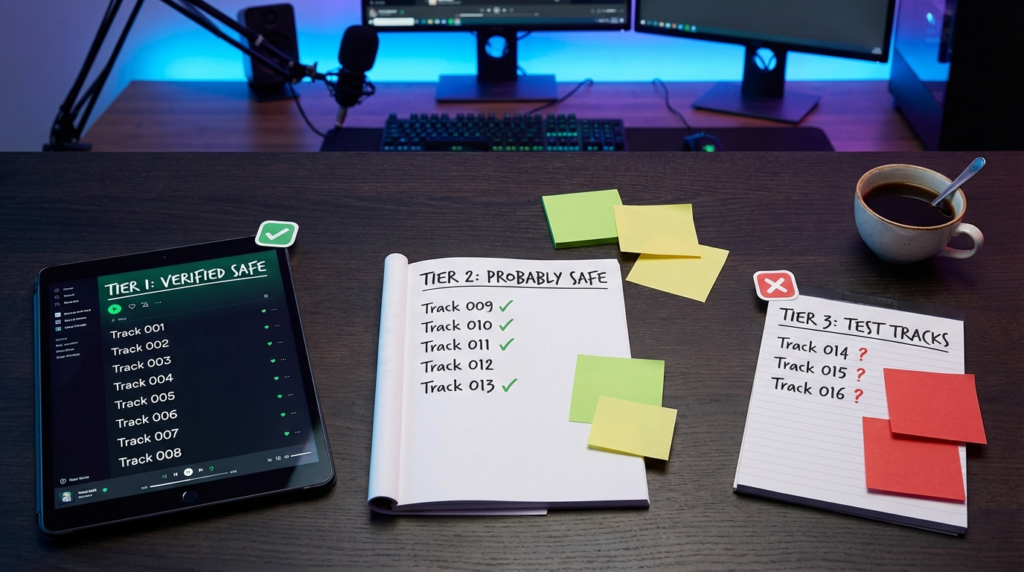
Never rely on a single playlist. Have three tiers of music ready.
Tier 1: Guaranteed safe tracks. These are songs you’ve personally tested, or they come from a paid service with written licenses. Use these for important streams, sponsored content, or anything you can’t afford to have muted.
Tier 2: Probably safe tracks. These come from reputable royalty-free sites with clear terms, but you haven’t tested every single one. Use these for casual streams where a muted section won’t kill your content.
Tier 3: Experimental tracks. These are songs you want to try but haven’t verified. Test these in low-stakes streams or segments you don’t mind losing to muting.
Rotate your Tier 1 playlist regularly so your streams don’t sound repetitive, but keep it large enough that you’re not looping the same 10 songs every hour. Aim for at least 50-100 tracks in your safe rotation.
What to Do If Your VOD Gets Muted
If you find muted sections in your VOD, you’ve got a few options depending on the platform.
On Twitch, muted audio is permanent for that VOD. You can download the original file before it expires (14-60 days depending on your account type) and re-upload it to YouTube with the offending music edited out. Twitch doesn’t offer appeals for muted VODs—they’re automated and final.
On YouTube, you can dispute a Content ID claim if you believe you have the right to use the music. Go to YouTube Studio, find the video, check the “Copyright” section, and file a dispute. Only do this if you’re certain you have a valid license. False disputes can lead to strikes.
For Facebook, check Rights Manager to see who claimed your video and why. If you have a license, you can submit proof and request a review. Facebook’s process is slower than YouTube’s, but they do manually review disputes.
The nuclear option: re-upload the stream with the music stripped out. Use software like Audacity or Adobe Audition to remove the music track, replace it with confirmed safe music, and upload the edited version. This works if the muted sections ruin the viewing experience, but it’s time-consuming.
External Resources
For comprehensive guidance on music licensing in streaming, the U.S. Copyright Office provides detailed information at https://www.copyright.gov/music-modernization/ about how music rights work and what permissions you need for different uses.
Twitch’s official DMCA guidelines explain their specific policies and offer tools to help streamers avoid copyright issues: https://www.twitch.tv/p/legal/dmca-guidelines/
Common Questions
Why does the same song get muted on one platform but not another?
Each platform uses different detection systems with separate databases. A track might be in YouTube’s Content ID but not in Twitch’s Audible Magic catalog, or vice versa. Rights holders also choose which platforms to enforce claims on, so they might ignore Twitch but actively claim YouTube content.
Can I use music if I give credit to the artist?
Attribution doesn’t replace permission. Unless the license explicitly allows streaming with credit, naming the artist doesn’t make it legal. Some royalty-free licenses require attribution as part of the agreement, but credit alone won’t protect copyrighted music.
Do subscriber-only or unmonetized streams avoid copyright claims?
No. Copyright applies regardless of whether you’re making money. Platforms scan all content, and rights holders can claim both monetized and non-monetized streams. The idea that “fair use” covers non-commercial streaming is a myth—fair use is narrow and rarely applies to playing full songs.
What if the playlist says “NoCopyrightSounds” or “Copyright Free”?
Verify the source. NoCopyrightSounds (NCS) is a legitimate YouTube channel that provides free music for content creators, but their license requires attribution and has specific terms. Other channels claiming “copyright free” might not own the rights to the music they upload. Always check the channel’s about section or website for license details.
Wrapping This Up
Stop trusting labels. Read licenses. Test tracks before you commit them to a six-hour stream. Use platform-provided music when possible, pay for a subscription service if you stream regularly, and keep a backup playlist of verified safe tracks.
Your VODs matter as much as your live content. Don’t sacrifice half your archive because you didn’t spend 15 minutes confirming a track was actually clear. The effort up front saves you hours of editing, lost content, and frustrated viewers wondering why your stream sounds like a silent film.
What’s your current strategy for finding stream-safe music? Drop a comment if you’ve found sources that actually work without the guesswork.