


You’ve spent hours creating pins, optimizing descriptions, and building boards—only to wake up one morning and find your Pinterest account suspended. No warning. No explanation. Just gone.
This happens to thousands of affiliate marketers every year, and it’s almost always for the same reason: they treat Pinterest like a billboard for their affiliate links instead of a platform where people discover ideas. Pinterest doesn’t hate affiliate marketing. They hate spam. And if you don’t understand the difference, you’re setting yourself up for failure.
The good news? You can absolutely make money with Pinterest affiliate marketing without getting banned. You just need to follow their rules, which aren’t actually that complicated once you understand what they’re looking for.
Key Takeaways
- Create a bridge page (landing page) between your pin and affiliate offer instead of linking directly to Amazon or other affiliate networks
- Disclose affiliate relationships clearly on every pin and landing page to stay compliant with FTC guidelines and Pinterest policies
- Focus on helping users solve problems rather than pushing products—Pinterest rewards helpful content, not aggressive sales pitches
- Use Pinterest’s native features (Rich Pins, Idea Pins) to build trust before sending traffic to affiliate offers
- Monitor your account health through Pinterest Analytics to catch potential violations early
Why Pinterest Bans Affiliate Marketers
Pinterest operates differently than Facebook or Instagram. It’s a visual search engine where people look for solutions, inspiration, and products they want to buy later. When you drop a raw affiliate link into a pin, Pinterest’s algorithm sees it as low-value content that doesn’t help users.
Here’s what triggers their spam filters: direct links to Amazon, ClickBank, or ShareASale without any original content in between. Pins that look like ads rather than helpful resources. Accounts that only post affiliate content without contributing anything else to the platform. And repetitive pins that all point to the same affiliate offer with slightly different images.
Pinterest wants to keep users on their platform or send them to quality websites that actually add value. A direct affiliate link doesn’t do that. It sends users straight to a checkout page, which creates a poor user experience and makes Pinterest look like a spam network.
The Landing Page Strategy That Works
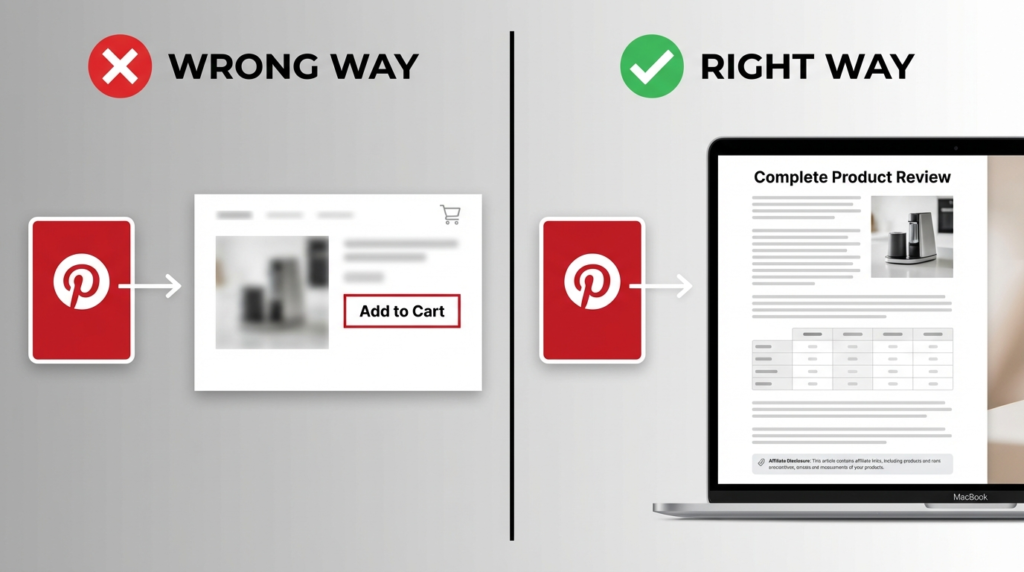
The solution is simple: never link directly to your affiliate product. Instead, create a landing page on your own website that sits between your pin and the affiliate offer.
This landing page serves multiple purposes. It gives you a chance to provide genuine value through product reviews, comparison charts, or tutorials. It shows Pinterest that you’re sending traffic to real content, not just fishing for commissions. And it gives you control over the user experience, allowing you to build trust before asking for a sale.
Your landing page doesn’t need to be complicated. A blog post reviewing the product works perfectly. A comparison article that discusses multiple options gives users what they actually want: information to make a smart decision. Even a simple resource page with your honest thoughts and a clear affiliate disclosure meets Pinterest’s requirements.
The key is making sure that landing page contains original, helpful content. Don’t just copy the product description from Amazon and slap your affiliate link at the bottom. Write something useful. Answer the questions people actually have about the product. Include personal experience if you’ve used it.
Disclosure Requirements You Can’t Ignore
Both Pinterest and the FTC require you to disclose affiliate relationships. This isn’t optional, and being vague about it won’t protect you.
On your pins, add a simple disclosure in the description like “This pin contains affiliate links” or “I earn a commission if you purchase through my link.” Don’t hide it at the bottom after 12 hashtags. Put it near the top where people will actually see it.
On your landing page, the disclosure needs to be even clearer. Add it above the fold (visible without scrolling) and make it obvious. “As an Amazon Associate, I earn from qualifying purchases” works perfectly. Or use “This post contains affiliate links, which means I may receive a commission if you make a purchase using these links.”
Some marketers try to get cute with their disclosures, burying them in tiny text or using vague language like “Some links may be partnerships.” That won’t fly. The FTC wants disclosures that are clear, conspicuous, and impossible to miss. If someone needs to hunt for your disclosure, you’re doing it wrong.
Content Types Pinterest Actually Rewards
Pinterest doesn’t want your sales pitch. They want content that helps people plan weddings, redecorate rooms, find recipes, or solve everyday problems. Your affiliate marketing needs to fit into that framework.
Idea Pins work exceptionally well for building trust without triggering spam filters. These multi-page pins let you share step-by-step tutorials, before-and-after transformations, or educational content. You can’t add clickable links to Idea Pins, but that’s actually good news—it forces you to focus on value first and sales second.
Use Idea Pins to establish yourself as someone who knows what they’re talking about. If you’re in the home decor niche, create Idea Pins showing room makeovers or DIY projects. Mention the products you used, but don’t push the sale. Then, in your regular pins, you can link to blog posts that discuss those same products in more detail with your affiliate links.
Rich Pins automatically pull information from your website, making your pins more informative and trustworthy. Product Rich Pins show pricing, availability, and product details directly on the pin. Article Rich Pins display the headline and author. These features make your content look more legitimate and less like spam.
The content itself matters more than the format. How-to guides, gift guides, product roundups, and comparison posts all perform well on Pinterest because they match search intent. Someone searching for “best kitchen gadgets for small spaces” wants a curated list with honest opinions, not a single product recommendation that screams “buy this now.”
Common Mistakes That Get Accounts Flagged
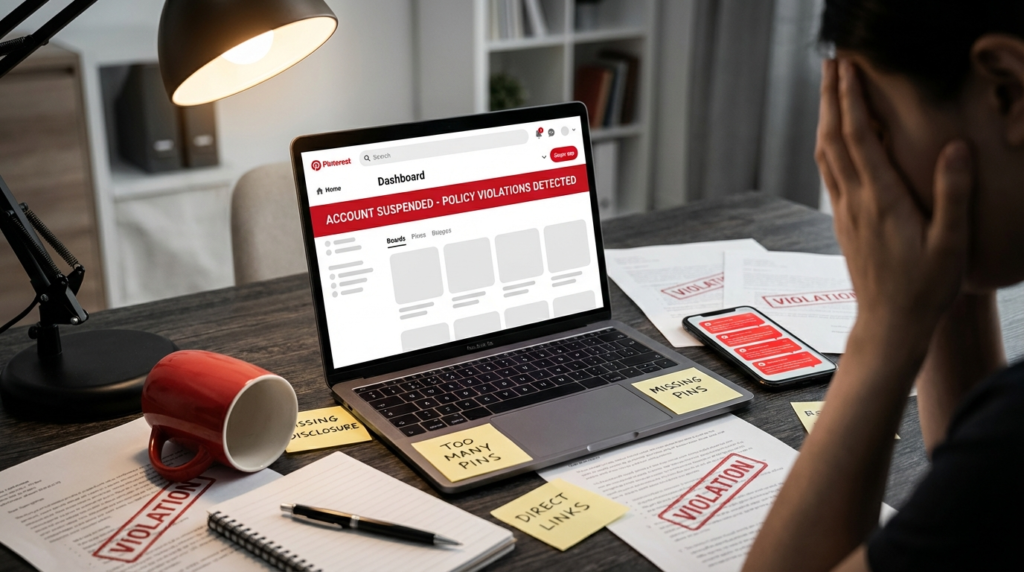
Posting the same pin over and over with slight variations might seem like a smart way to maximize reach, but Pinterest calls it spam. If you have 10 different images all linking to the same affiliate product with nearly identical descriptions, you’re asking for trouble.
Cloaking your links is another fast track to suspension. Some marketers use link shorteners or redirect services to hide affiliate URLs. Pinterest can detect this, and they don’t like it. Use your direct affiliate link or link to your landing page—don’t try to disguise where you’re sending traffic.
Creating multiple accounts to promote the same offers won’t work either. Pinterest tracks IP addresses, browser fingerprints, and behavior patterns. If you get one account banned and immediately create another to do the same thing, they’ll catch you.
Ignoring Pinterest’s daily limits is a mistake beginners make constantly. Don’t pin 100 times in one day and then go silent for a week. Inconsistent activity looks suspicious. Aim for 5-15 pins per day spread throughout the day, and make sure you’re pinning content from other sources too, not just your own affiliate stuff.
Building a Sustainable Pinterest Strategy
| Approach | What Spammers Do | What Smart Marketers Do |
|---|---|---|
| Link destination | Direct to Amazon/affiliate network | To landing page with original content |
| Pin frequency | 50+ pins per day, then weeks of silence | 5-15 pins daily, consistent schedule |
| Content mix | 100% affiliate products | 70% helpful content, 30% affiliate |
| Account setup | Multiple accounts for same niche | One account, multiple diverse boards |
| Disclosure | Hidden or missing | Clear and upfront on every pin |
The 70/30 rule keeps you safe: 70% of your pins should be genuinely helpful content with no affiliate links at all. Save the remaining 30% for your monetized content. This ratio shows Pinterest you’re contributing to the community, not just trying to make money.
Diversify your boards. If every single board on your account is about products you’re promoting, that’s a red flag. Create boards about topics your audience cares about. Share content from other creators. Engage with the platform like a real user, not a robot programmed to drop affiliate links.
Your website matters more than you think. Pinterest is more likely to trust pins linking to an established website with multiple pages, an about section, and regular content updates. A one-page landing page created yesterday looks sketchy. A blog that’s been publishing helpful articles for months looks legitimate.
Technical Setup for Compliance
Claiming your website on Pinterest is mandatory if you’re doing affiliate marketing seriously. This verification process gives you access to analytics, allows you to use Rich Pins, and shows Pinterest that you own the domain you’re linking to.
Install the Pinterest tag on your website to track conversions and understand which pins drive the most affiliate sales. This data helps you double down on what works and stop wasting time on content that doesn’t convert.
Check your account health regularly through Pinterest Analytics. They don’t always send warnings before suspending accounts, but you can often spot problems early. If your pin distribution suddenly drops to zero or you’re getting fewer impressions despite posting regularly, something might be wrong.
Keep copies of everything—your pins, descriptions, landing pages, and disclosure statements. If Pinterest suspends your account, you’ll need evidence to appeal. Screenshots showing that you followed their guidelines can make the difference between getting reinstated and losing your account permanently.
What to Do If You Get Flagged
First, don’t panic and create a new account. That makes everything worse. Instead, review Pinterest’s community guidelines and merchant guidelines carefully. Figure out what you did wrong.
Most violations come from direct affiliate linking, missing disclosures, or posting too much promotional content too quickly. If you realize your mistake, you can appeal through Pinterest’s help center. Explain what happened, acknowledge the mistake, and show exactly how you’ve fixed it.
Appeals work best when you’re specific. “I’m sorry for violating guidelines” won’t get you anywhere. “I was linking directly to Amazon instead of using a landing page, and I’ve now created original blog content for all my pins” shows you understand the problem and fixed it.
Sometimes Pinterest rejects appeals, especially if you violated their rules repeatedly. At that point, your best option is learning from the mistake and being more careful on any future accounts. But you can’t just create a new account tomorrow—wait at least a few months and use a different email, IP address, and payment method if you’re running ads.
Long-Term Success Without Breaking Rules
The marketers who make real money on Pinterest aren’t the ones looking for loopholes. They’re the ones who actually help people find what they need. If you approach Pinterest as a place to serve your audience rather than a place to make quick cash, the algorithm rewards you.
Focus on evergreen content that stays relevant year-round. Seasonal pins work great for short bursts of traffic, but posts about “how to organize a small closet” or “best cookware for beginners” keep generating affiliate income for years.
Test different pin designs, descriptions, and landing pages. The only way to know what works is trying multiple approaches and tracking results. Use Pinterest Analytics to see which pins get saved most often—those are the ones resonating with your audience.
Build an email list from your landing pages. Not everyone who clicks your pin will buy immediately. Capturing their email gives you a second chance to promote that product or recommend similar items later. This turns a one-time visitor into a potential long-term customer.
Stay updated on Pinterest’s policy changes. They update their guidelines regularly, and what worked last year might violate their rules today. Follow <a href=”https://www.pinterest.com/business/”>Pinterest Business</a> updates and check their <a href=”https://policy.pinterest.com/en/community-guidelines”>Community Guidelines</a> every few months to make sure you’re still compliant.
Frequently Asked Questions
Can I use Amazon affiliate links on Pinterest? Yes, but only if they point to a landing page on your website first, not directly to Amazon. Your landing page needs original content and a clear affiliate disclosure. Direct links to Amazon will get your account flagged.
How many pins per day is safe for affiliate marketing? Aim for 5-15 pins daily with a mix of affiliate and non-affiliate content. Posting more than 20 pins in a single day, especially if they’re all promotional, triggers spam filters.
Do I need a business account for affiliate marketing on Pinterest? You don’t technically need one, but business accounts give you access to Pinterest Analytics and Rich Pins, which help track performance and look more professional. It’s worth switching.
What happens if I forget to add an affiliate disclosure? You’re violating both FTC regulations and Pinterest policies. Add disclosures immediately to any pins missing them. Repeated violations can result in account suspension and potential FTC fines up to $43,792 per violation.
Conclusion
Pinterest affiliate marketing works when you stop thinking like a spammer and start thinking like someone who genuinely wants to help. Create that bridge between your pin and the product. Be upfront about your affiliate relationships. Focus on providing real value instead of just chasing commissions.
Build landing pages that answer questions people actually have. Mix affiliate content with helpful pins that don’t make you money but build trust with your audience. Follow Pinterest’s guidelines instead of looking for ways around them.
The marketers who get banned are the ones who try to game the system. The ones who succeed are those who treat Pinterest like what it actually is: a place where people look for ideas and solutions. Be the solution, not the problem.
What’s your biggest challenge with Pinterest affiliate marketing—getting traffic or converting that traffic into sales? Drop a comment below and let’s figure it out.