

You built a Discord server from scratch. You spent months growing your community, setting up channels, and creating a space where people actually want to hang out. Then one morning, you wake up to find it’s gone. Banned. No warning, no appeal, just a vague message about “unmoderated content.”
This isn’t rare. Discord’s Trust & Safety team deletes thousands of servers every month, and the most frustrating part? Most owners had no idea they were breaking the rules. They thought having a few moderators was enough. It wasn’t.
The problem is simple: Discord doesn’t care if you’re a good person or if 99% of your server is fine. If someone posts illegal content, harassment, or NSFW material in unmoderated channels and it sits there for too long, your entire server is at risk. Discord’s automated systems scan for violations 24/7, and human moderators review reports daily. One mistake can wipe out years of work.
Here’s what you need to know to keep your server alive.
Key Takeaways
- Set up AutoMod to block slurs, spam, and explicit content automatically before messages even appear
- Assign active moderators across different time zones so someone’s always watching
- Enable verification levels and configure channel permissions to restrict who can post where
- Create a moderation log system to track deleted messages and banned users for accountability
- Review Discord’s Community Guidelines monthly since rules change and new violations get added
What Discord Actually Means by “Unmoderated Content”
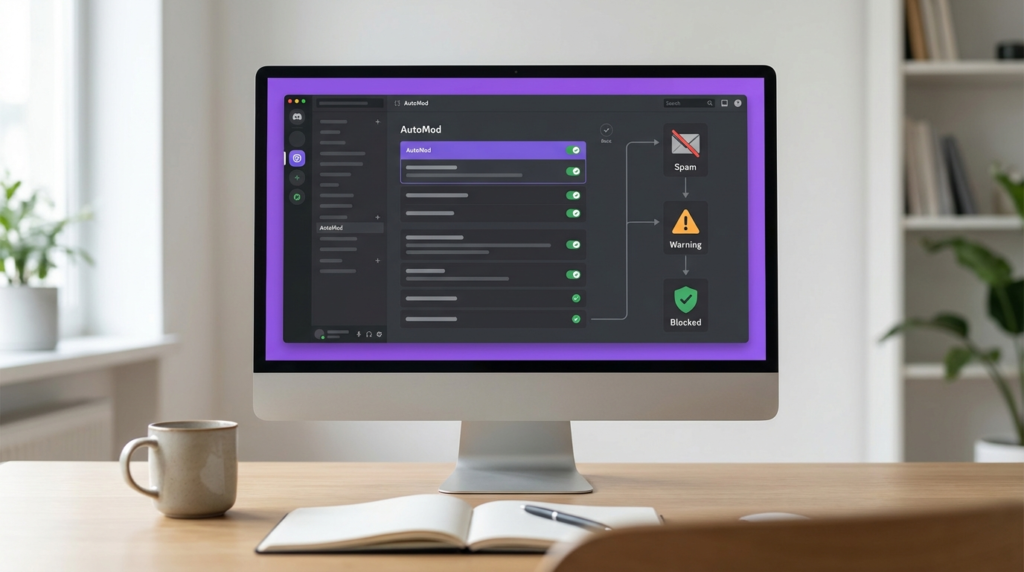
Discord doesn’t expect you to catch every bad message instantly. What they’re watching for is patterns. If harmful content stays visible for hours or days, that signals your server isn’t being monitored.
“Unmoderated content” includes anything that violates Discord’s Terms of Service or Community Guidelines that remains accessible to users. The most common violations are:
Hateful content and harassment – Slurs, targeted attacks based on race, religion, gender, or sexual orientation. Even if it’s “just a joke” in your community, Discord doesn’t care about context.
NSFW content in non-age-gated channels – Pornography, gore, extreme violence. If someone under 18 can access it, your server’s breaking the rules.
Illegal activities – Drug sales, piracy links, hacking tools, sharing stolen accounts. Discussing these topics is usually fine; facilitating them isn’t.
Spam and scams – Crypto scams, phishing links, malware. If bots are posting scam messages in your channels and they’re not getting removed, Discord assumes you’re not paying attention.
Doxxing and threats – Sharing someone’s personal information or threatening real-world harm.
The tricky part is that Discord uses both automated detection and user reports. Their AI scans images and text for violations. If someone reports content in your server, human moderators review it. Your response time matters more than you think.
Why Servers Actually Get Banned (The Real Reasons)
Discord’s official documentation says they evaluate servers on a case-by-case basis. In practice, here’s what actually triggers bans:
Repeated violations without action – One offensive message that gets deleted in 10 minutes? Usually fine. Ten offensive messages over three days that nobody touched? That’s a pattern.
High report volume – If multiple users report your server for the same issue, Discord investigates faster. Communities with ongoing drama or grudges get targeted more.
Lack of visible moderation – Discord checks your audit logs. If there’s no evidence of mods deleting messages, timing out users, or banning violators, it looks like nobody’s watching.
Owner inactivity – If the server owner hasn’t logged in for months and violations pile up, Discord won’t wait around. They’ll nuke the server and move on.
Organized rule-breaking – Channels dedicated to piracy, hate speech, or illegal content get instant bans. Even if you think it’s “satire” or “ironic,” Discord doesn’t play that game.
Here’s something most people miss: Discord evaluates your entire server history, not just recent activity. If you inherited a server that had problems before you took over, those old violations can still hurt you.
How Discord’s Detection Systems Work
You’re not just dealing with human moderators. Discord runs automated systems that scan your server constantly.
Image scanning – Discord uses PhotoDNA and similar tools to detect known illegal imagery. If someone posts something flagged in their database, your server gets reviewed immediately.
Text analysis – Their AI looks for patterns in messages: slurs, violent threats, spam links. It’s not perfect, but it catches obvious stuff.
Link scanning – URLs get checked against databases of phishing sites, malware, and known scam domains. Shortened links don’t hide anything.
User behavior tracking – Discord tracks accounts that frequently violate rules across multiple servers. If known troublemakers are active in your server without consequences, it raises red flags.
The system isn’t foolproof. False positives happen, especially with ironic communities or gaming servers where trash talk is normal. But Discord’s bias is toward safety, not preserving your community. When in doubt, they ban first and maybe answer questions later.
Setting Up AutoMod (Your First Line of Defense)
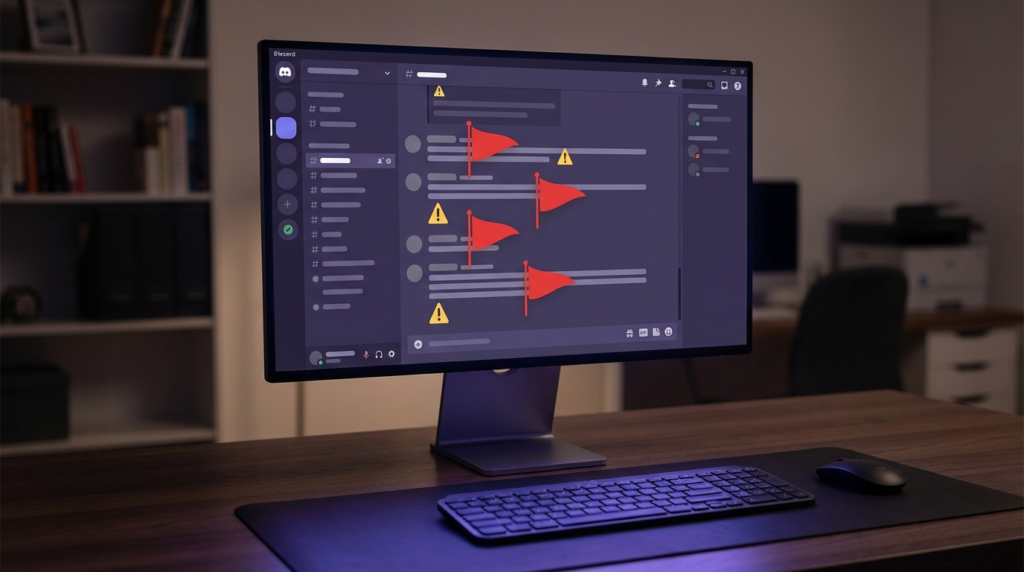
AutoMod is Discord’s built-in moderation tool, and if you’re not using it, you’re making a huge mistake. It’s free, it works 24/7, and it catches violations before they even appear in chat.
Go to Server Settings > Safety Setup or AutoMod. You’ll see preset filters for different types of content.
| Filter Type | What It Blocks | Best For |
|---|---|---|
| Commonly Flagged Words | Slurs, insults, profanity | General servers, family-friendly communities |
| Spam Content | Mass mentions, repeated characters, spam links | Any server with 50+ members |
| Mention Spam | Messages with excessive @mentions | Communities with public channels |
| Custom Keyword List | Words you define | Niche communities with specific rules |
For most servers, you want all four enabled. Here’s how to configure them:
Commonly Flagged Words – Turn this on with medium sensitivity. High sensitivity blocks too much normal conversation. Low sensitivity misses obvious violations.
Spam Content – Set this to block messages and alert moderators. Spammers usually hit during off-hours when mods are asleep.
Mention Spam – Block messages with more than 5 mentions. Legitimate users rarely need to ping 10 people at once.
Custom Keywords – Add terms specific to your community. If you run a gaming server, add common insults or slurs players use. If you’re in a specific fandom, add known drama triggers.
Don’t just enable AutoMod and forget it. Check your AutoMod log every few days to see what’s getting caught. You’ll find patterns: certain users testing limits, specific channels with more violations, times when spam hits hardest.
Building an Actual Moderation Team
AutoMod isn’t enough. You need humans who understand your community’s culture and can make judgment calls.
How many mods do you need? A common ratio is 1 active moderator per 50-100 active members. If your server has 500 people online regularly, you need at least 5-7 mods across different time zones.
Recruiting the right people – Don’t just promote your friends. Look for members who are already helping: answering questions, de-escalating arguments, reporting problems. They’re doing unpaid mod work already.
Time zone coverage – If your server is active 24/7, you need mods in different regions. A server with mods only in North America will be unmoderated for 8+ hours when everyone’s asleep.
Clear responsibilities – Different mods can handle different tasks. Some are good at watching chat. Others excel at reviewing reports. Some are better at community events. Don’t expect everyone to do everything.
Create a private mod channel where your team can discuss problems, share context, and coordinate actions. This also gives you a record of moderation decisions if Discord ever asks.
Role and Permission Setup That Actually Works
Discord’s permission system is powerful but confusing. Here’s how to lock down your server without making it feel like a prison.
Verification levels – Go to Server Settings > Safety Setup. Set your verification level to “Medium” at minimum. This requires verified email and 5+ minutes on Discord. It stops most throwaway spam accounts.
For larger servers (1000+ members), use “High” verification: 10+ minutes on Discord and a verified phone number. Yes, it’s annoying for new users. It also blocks almost all raiders and bots.
Channel permissions – Don’t give @everyone permission to post everywhere. Use roles to control access.
Create these basic roles:
- New Member – Can read most channels, can only post in #introductions or #verification
- Verified Member – Full access to general channels after they introduce themselves or pass verification
- Trusted – Access to off-topic or sensitive channels after 1-2 weeks of activity
- Moderator – Ability to delete messages, timeout users, manage roles
New users start with “New Member.” After they send an intro or react to a welcome message, a bot assigns “Verified Member.” This simple gate stops 90% of raid accounts.
NSFW channel setup – If you allow adult content anywhere, those channels MUST be age-gated. Go to Channel Settings > Overview and enable “Age-Restricted Channel.” Anyone under 18 (based on their Discord birthday) can’t access it.
Don’t rely on channel names like “nsfw-chat.” That’s not enough. Discord’s system only recognizes the actual age-gate setting.
Moderation Bots You Actually Need
AutoMod handles basic filtering. For everything else, you need bots.
| Bot | Primary Function | Why You Need It |
|---|---|---|
| Dyno or MEE6 | Multi-purpose moderation | Message logging, timed mutes, auto-roles |
| Carl-bot | Reaction roles and logging | Easy member verification, detailed audit logs |
| Wick | Anti-raid protection | Stops mass-join raids, auto-bans suspicious accounts |
| YAGPDB | Custom commands and automod | Advanced filtering beyond Discord’s AutoMod |
Message logging is critical. When someone deletes a toxic message before you see it, the log shows what they said. When Discord investigates your server, proving you deleted violations quickly is your best defense.
Set up logging to capture:
- Deleted messages with full content
- Edited messages showing before/after
- User joins and leaves
- Role changes
- Channel permission changes
Store logs in a private mod-only channel. Review them weekly to spot patterns: users who constantly edit messages to remove slurs, accounts that join during specific hours, channels where problems cluster.
Anti-raid configuration – Raids happen when 20-100 accounts join simultaneously to spam, post NSFW content, or harass members. Configure Wick or a similar bot to:
- Lock the server automatically if 10+ accounts join in 10 seconds
- Auto-ban accounts created in the last 7 days during raids
- Require manual verification during high-join periods
Creating Rules That People Actually Follow
Most Discord servers have rules. Most members don’t read them. Here’s how to fix that.
Make rules visible – Pin your rules in every public channel. Put them in your server description. Set them as required reading in your welcome channel.
Keep them short – Nobody reads 15 paragraphs. Break rules into clear categories:
- Respect all members (no slurs, harassment, discrimination)
- Keep content appropriate (NSFW only in age-gated channels)
- No spam, scams, or self-promotion without permission
- Follow Discord’s Terms of Service and Community Guidelines
- Moderator decisions are final
Examples matter – Don’t just say “be respectful.” Explain what that means: “Don’t use slurs, even as jokes. Don’t target people for their identity, opinions, or background. Criticism is fine; personal attacks aren’t.”
Link to Discord’s official guidelines – Many violations happen because users genuinely don’t know Discord’s rules. Link to https://discord.com/guidelines in your rules channel.
Enforcement transparency – Explain consequences clearly:
- First violation: Warning
- Second violation: 24-hour timeout
- Third violation: 7-day timeout
- Fourth violation: Permanent ban
Adjust based on severity. Posting illegal content = instant ban. Minor spam = warning first.
Handling Reports and Escalations
Someone just reported a message in your server. Now what?
Review context – Don’t just delete based on the report. Read the full conversation. Sometimes members report messages they simply disagree with, not actual violations.
Document everything – Screenshot the violation before deleting it. Note who reported it, what action you took, and why. If Discord investigates later, this record proves you were moderating.
Communicate with the user – Send a DM explaining what they did wrong and what happens next. Most people don’t realize they violated rules. A quick explanation prevents repeat offenses.
When to escalate to Discord – Some violations require reporting to Discord’s Trust & Safety team:
- Child exploitation material (report immediately, don’t investigate)
- Credible threats of violence
- Organized harassment campaigns
- Servers coordinating rule-breaking in your community
Use Discord’s reporting feature: right-click message > Apps > Report to Discord. Your report helps them identify problem users across the platform.
Don’t argue with banned users – When you ban someone, they’ll often DM you to argue, threaten, or insult you. Don’t engage. Explain the decision once, then block them if they persist. Moderator mental health matters.
What to Do If Your Server Gets Flagged
You got a message from Discord about policy violations. Don’t panic, but act fast.
Read the message carefully – Discord usually specifies what type of content violated policies and which channel it was in. If they don’t, check your recent mod logs for unusual activity.
Immediate actions:
- Delete any remaining violating content
- Ban the users who posted it
- Review your entire server for similar content
- Tighten AutoMod and verification settings
- Document everything you’re doing to fix the problem
Respond to Discord – If they give you an email or response option, explain:
- What content violated policies (acknowledge it specifically)
- What you’ve done to remove it
- What systems you’ve implemented to prevent it happening again
- Evidence of your moderation efforts (audit log screenshots help)
Don’t make excuses – “We didn’t know” or “it was just a joke” won’t save you. Discord cares about one thing: can you keep your server compliant going forward?
If your server gets deleted – You can appeal through Discord’s https://support.discord.com/hc/en-us support system, but success is rare. Most bans are final. Your best move is prevention, not cure.
Keeping Up with Discord Policy Changes
Discord updates their Community Guidelines and Terms of Service regularly. Rules that were fine last year might get you banned today.
Check official announcements – Follow @discord on Twitter and Discord’s official server for policy updates. When they announce changes, review your server immediately.
Monthly audits – Set a calendar reminder to review:
- Your AutoMod settings (are new keywords needed?)
- Moderator activity (are inactive mods still on the team?)
- Problem users (anyone pushing boundaries repeatedly?)
- Channel permissions (any security gaps?)
Stay connected with other server owners – Join communities for Discord admins. They share tips, warn about new scam tactics, and discuss policy changes. Learning from others’ mistakes is cheaper than making your own.
Frequently Asked Questions
How long does content need to stay up before Discord considers it “unmoderated”?
There’s no official timeframe, but reports suggest content visible for 2+ hours during active periods or 12+ hours during quiet times raises flags. Delete violations within 30 minutes if possible.
Can I get banned for what people say in DMs on my server?
No. Discord only holds you responsible for public channels and threads. DMs between users are private unless someone reports them directly to Discord.
Will Discord warn me before deleting my server?
Sometimes. Minor violations might get warnings. Severe violations (illegal content, organized harassment) often result in immediate deletion without appeal.
Do archived or locked channels still count for moderation?
Yes. If old channels contain violations and are still accessible, Discord treats them as unmoderated content. Clean up old channels or delete them entirely.
Conclusion
Keeping your Discord server alive isn’t about perfection. It’s about showing Discord you’re actively trying.
Set up AutoMod today. Recruit moderators who care about your community. Create clear rules and actually enforce them. Review your server monthly for problems. Document your moderation work.
Most banned servers had owners who thought they were too small to matter or that Discord wouldn’t notice. They were wrong. Your server size doesn’t matter—your moderation does.
Start with the basics: enable AutoMod, assign trusted mods, and lock down channel permissions. Spend 30 minutes this week reviewing your server for potential violations. That small investment protects months or years of community building.
What moderation systems do you currently use in your server, and what’s been your biggest challenge keeping up with Discord’s rules? Share your experience in the comments.